
Stock Photo & Video AI Metadata Generator
Generate accurate titles, descriptions, and keywords for photos and videos in seconds.
Ready for Adobe Stock, Shutterstock, and more.
Drag and drop your files
JPEG, PNG, MP4, and MOV. Up to 500 files.
Settings
OptionalShort title in title case
English letters only
Disable upload size limit
May cause slowdowns or failuresOne Workflow for Every Leading Stock Platform
See What AI Generates
Get clean, relevant metadata that is ready to review, edit, and submit.

Man with backpack overlooking a serene mountain lake at sunrise
A lone hiker stands on a rocky outcrop, gazing at a vast alpine lake surrounded by misty mountains as the sun begins to rise
How AI Automates Your Metadata
Skip repetitive metadata entry and move an entire batch from upload to submission in one simple flow.
Upload
Select images or videos from your device.
AI Analyzes
AI generates titles, descriptions, and keywords.
Preview
Review and edit metadata, then check any risks AI flagged.
Download
Export as CSV or embed metadata into images.
Submit
Upload files with metadata to stock platforms.
Choose the Export That Fits Your Workflow
Embed Metadata in Images
The metadata is saved inside your files and filled in automatically when uploading to stock websites.
Download Metadata as CSV
Export metadata as a CSV file to upload alongside your images or videos on supported platforms.
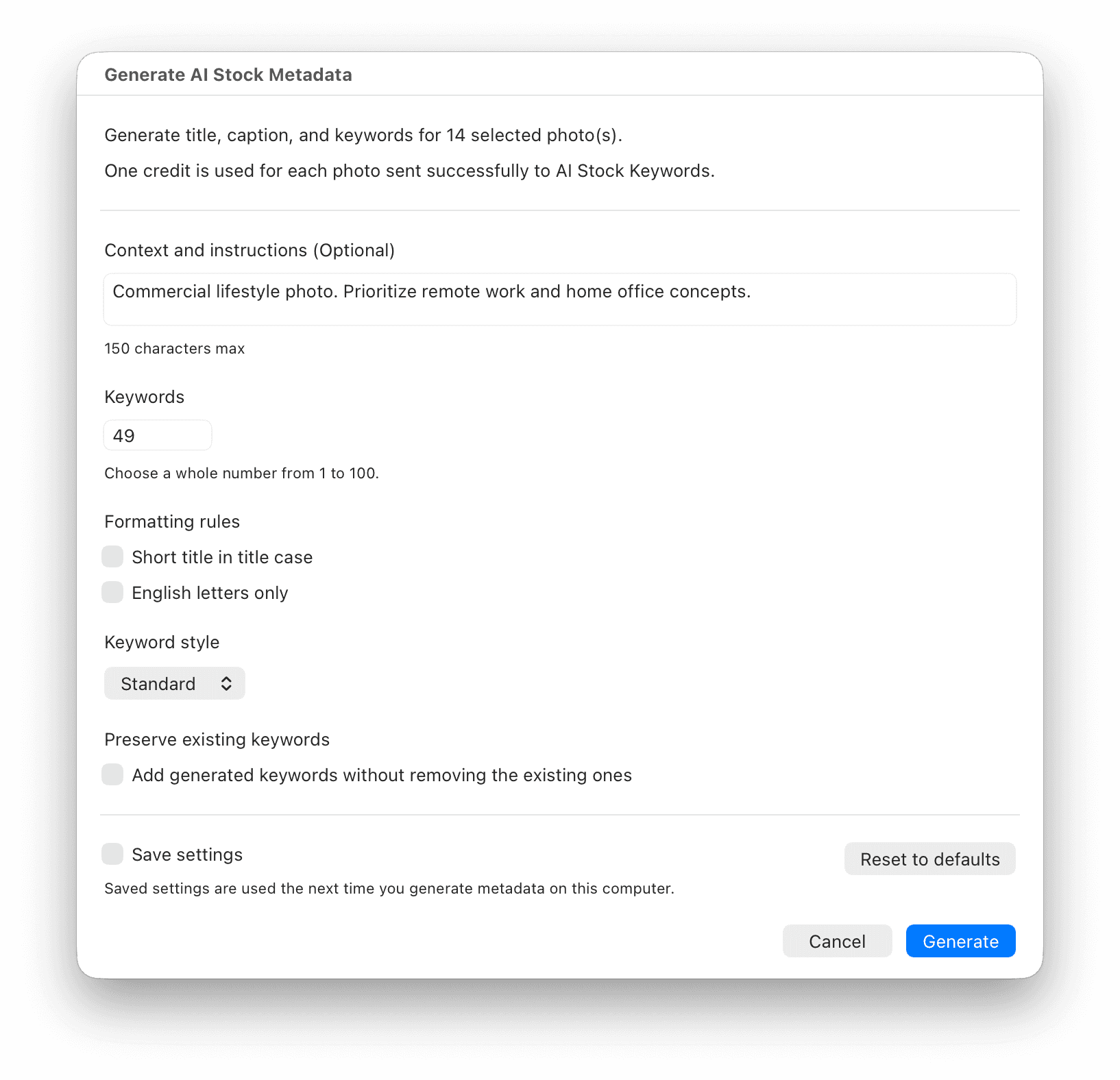
Generate Stock Metadata Without Leaving Lightroom
Select photos in Lightroom Classic and generate stock-ready titles, captions, and keywords directly in your catalog. Review the result, then submit with confidence.
Works in Lightroom Classic 6+
Original and RAW files stay untouched
One credit per processed photo
Why Choose Us?
A faster way to prepare every upload without sacrificing quality, control, or discoverability.
Hours Saved on Every Batch
Turn repetitive metadata work into a fast, focused review.
Search-Ready Metadata
Generate relevant titles, descriptions, and keywords built for stock search.
Helpful Submission Flags
Notice clear visual details worth checking before you export your batch.
What Creators Say
Increased My Sales by 20%
“My photos became more visible and easier to find.”
Oleh M.
Easy, Fast, and Reliable
“Saves hours and improves searchability.”
Khrystyna S.
That is a huge timesaver
“The service provides high quality keywords for my photos.”
Pierre A.
Boosted my productivity
“I've also noticed that photos described by this tool sell better.”
Andrei B.
Choose the Right Credit Pack
Use 1 credit to generate metadata for 1 photo or video. Buy once, use your credits anytime, and purchase more whenever you need them. No subscription required.
Small Pack
For occasional uploads
100
credits
$0.020 per file
Medium Pack
For growing portfolios
1,000
credits
$0.005 per file
Save 75%Large Pack
For frequent contributors
5,000
credits
$0.002 per file
Save 90%Ultimate Pack
For large-scale projects
20,000
credits
$0.001 per file
Save 95%1 Credit = 1 File
For photos and videos
No Subscription
One-time payments only
Credits Never Expire
Use them whenever you are ready
Invite creators, earn credits
You and your referral each get 100 credits after their first purchase.
Frequently Asked Questions
Our AI-generated metadata is compatible with all major stock platforms, including Shutterstock, Adobe Stock, Getty Images, Dreamstime, Vecteezy, Freepik and more. Some platforms such as Depositphotos may misinterpret the metadata so we recommend checking the metadata before submitting the files.
Our AI can process images in common formats such as JPEG and PNG, and videos in MP4 and MOV formats. Simply upload any of these formats, and the metadata will be automatically generated and embedded in the images. Metadata cannot be embedded in videos, but you can download the metadata as a CSV file.
Images: Yes, the generated metadata is embedded directly into your images in XMP format. This eliminates the need for manual metadata entry on stock platforms. When you upload your images to stock platforms, the metadata will be automatically recognized and applied.
Videos: No, metadata cannot be embedded directly into videos. Instead, you can download the metadata as a CSV file. Most stock platforms support uploading metadata via a single CSV file, which will apply the metadata to all your videos at once.
CSV files are a convenient way to upload metadata for multiple images and videos at once. You can download the metadata as a CSV file after processing your files. Most stock platforms allow you to upload this CSV file, which will automatically apply the metadata to all your images and videos. In this case, you just upload your original images and videos without metadata, and the platform will apply the metadata from the CSV file.
You can find instructions on how to upload CSV files to stock platforms in the following links:
The metadata is embedded in the images using the XMP format. Windows Explorer and MacOS Finder do not display the metadata by default. To view the metadata, you can use Adobe Lightroom, Adobe Bridge, ExifTool or any other image editing software that supports XMP metadata.
Absolutely! Our service is designed to support different volumes of images and video. From small batches of 10 files to large collections of 500 files, and you'll get your images back in a zip file or a CSV file.
Getty Images and iStock do not publish official allowed or forbidden keyword lists. Because of this, any warnings are based on internal rules that are not publicly available.
If some keywords are highlighted in red, this does not block submission. Files can still be submitted and are usually approved normally during review.
During review, highlighted keywords may be ignored, removed, or replaced by Getty Images or iStock reviewers.
Red highlights are informational only, not a hard restriction.
The preview can flag clearly visible details such as recognizable people, text, logos or brands, license plates, landmarks or property, and artwork or designs. These are helpful prompts to review a file before export, not legal advice, a rights decision, or a guarantee of stock-agency acceptance.
Yes, you can purchase additional packages of credits at any time. Simply go to the Packages section of our website, select the package you want, and complete the purchase. Your credits will be added to your account immediately.
Share your referral link from your Account page. When a new creator signs up through your link and makes their first purchase, you both receive 100 credits automatically.
Yes, our AI generates metadata that is optimized for search engines on stock platforms. This includes relevant keywords and phrases that help improve visibility and ranking of your images and videos.
This issue can sometimes be caused by browser security settings. Here are some troubleshooting steps:
Browser Protection Issues:
- Enhanced Tracking Protection in Firefox may interfere with the service
- Brave browser has similar privacy features that can block requests
Recommended Solutions:
- Try using Chrome or another mainstream browser
- Try disabling privacy/tracking protection temporarily
- Clear your browser cache and cookies
We take data security seriously. Your files and metadata are processed in a secure environment and are not stored permanently. Once the processing is complete and you download the files, the files are removed from our system.
Have Questions or Feedback?
Need help with your stock workflow, have an idea, or spotted a problem? We'd love to hear from you.