
AI Stock Metadata Plug-in for Lightroom Classic
Generate titles, captions, and keywords for selected stock photos without leaving Lightroom Classic. Your finished metadata is written directly to the catalog.
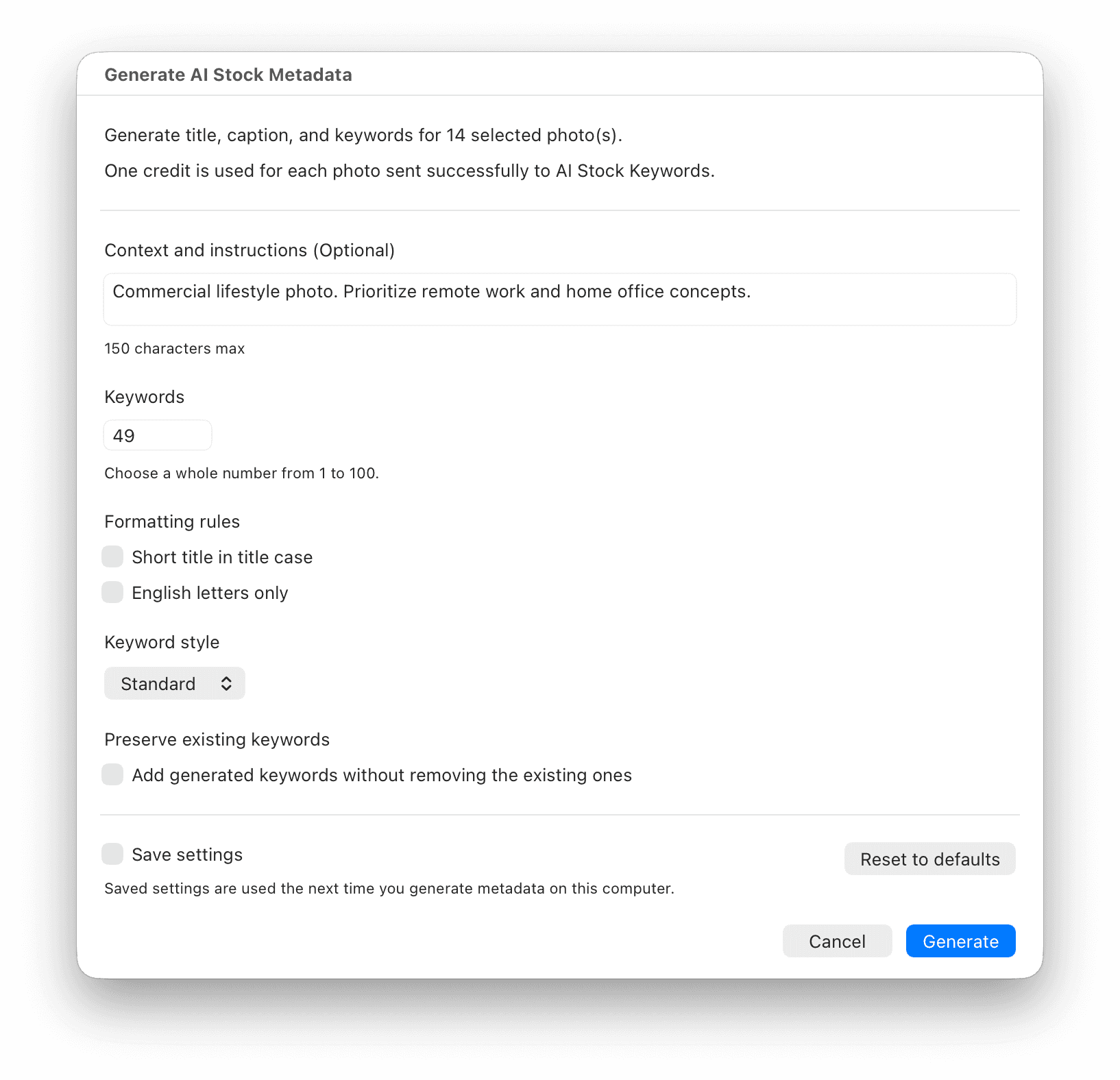
Generate Stock Metadata in Your Lightroom Workflow
Use the Library module to select photos, control generation settings, and prepare metadata for review without changing your original files.
Metadata in Your Catalog
The plug-in writes generated titles, captions, and keywords directly to the photos you selected in Lightroom Classic.
Settings for Your Workflow
Choose keyword count and style, add context, use a short title, and keep existing keyword tags when needed.
Original Files Stay Untouched
Only a generated 1024 px JPEG preview is sent for analysis. The plug-in does not upload or modify your original or RAW files.
How the Lightroom Plug-in Works
Install the Plug-in
Download the ZIP, extract it, and add the included .lrplugin folder in Lightroom Classic Plug-in Manager.
Save Your API Key
Create a key in your AI Stock Keywords account, then save it in the plug-in account settings.
Select Photos
Choose one or more photos in the Library module and set the optional generation preferences.
Generate Metadata
AI fills title, caption, and keyword fields in the Lightroom catalog for every successfully processed photo.
Set Up the Plug-in in Lightroom Classic
Use these steps after downloading the plug-in.
Download and extract the ZIP. Keep the included ai-stock-keywords.lrplugin folder together.
Add it in Lightroom Classic. Choose File > Plug-in Manager, click Add, and select the ai-stock-keywords.lrplugin folder.
Connect your account. While you are still in Plug-in Manager, select AI Stock Keywords. In the AI Stock Keywords Account section, paste an API key from your AI Stock Keywords account and select Save API Key.
Generate metadata. In the Library module, select photos and choose Library > Plug-in Extras > Generate Metadata for Selected Photos.
Lightroom Classic Plug-in FAQ
Download and extract the ZIP. In Lightroom Classic, choose File > Plug-in Manager, select Add, and choose the ai-stock-keywords.lrplugin folder. Then select AI Stock Keywords in Plug-in Manager, paste an API key from your account, and save it.
Sign in to your AI Stock Keywords account to create an API key. In Lightroom Classic Plug-in Manager, select AI Stock Keywords, paste the key into the AI Stock Keywords Account section, and choose Save API Key.
One credit is used for each photo successfully sent to AI Stock Keywords. The plug-in shows the selected photo count before you confirm generation.
Generated keywords replace existing keyword tags by default. Enable Preserve existing keywords in the generation dialog to add generated keywords alongside the tags already in your catalog.
The plug-in supports Lightroom Classic 6 and later. It processes selected photos in the Library module. Videos are skipped in the current version.
No. AI Stock Keywords is an independent product. Adobe and Lightroom Classic are trademarks of Adobe Inc.
Start Keywording Inside Lightroom Classic
Download the plug-in, connect your account, and turn selected stock photos into catalog-ready metadata.
Download Plug-in